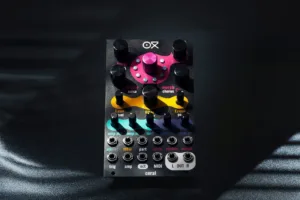
Arturia AstroLab 2.0 brings sound editing to the front panel
Free AstroLab firmware 2.0 adds front-panel Sound Edit, more than 60 sampled sounds and reliability fixes.

Arturia released firmware 2.0 for AstroLab in early October, covering its stage keyboard in 37, 61 and 88-key versions. The update is free. Its headline feature is Sound Edit: each instrument’s key parameters move under the four front-panel macro encoders, with dedicated pages for envelopes, filter and glide. It also adds more than 60 sample-based sounds and a round of reliability fixes, listed on Arturia’s update page.
Who it is for
AstroLab is a keyboard that runs the engines of V Collection, Arturia’s suite of virtual instruments, and plays Analog Lab presets without a computer. Version 2.0 therefore matters first to existing owners, and to two kinds of player in particular:
- The gigging keyboardist who tweaks a sound between songs: shortening a release, closing a filter or adding glide now happens on the instrument, without opening Analog Lab on a laptop.
- The covers or session player who wanted more convincing acoustic sounds: piano, brass, strings and basses arrive as sampled instruments.
For anyone still on the fence, the update answers one of the main criticisms of the instrument: an efficient preset player that was hard to edit without the software.
What it costs
Firmware 2.0 is free for every AstroLab. Arturia lists the keyboards themselves at:
| Model | Arturia list price | Covered by 2.0 |
|---|---|---|
| AstroLab 37 | $799 | yes (plus improved aftertouch) |
| AstroLab 61 | $1,999 | yes |
| AstroLab 88 | $2,999 | yes |
AstroLab is available now: View at Thomann
What changes in version 2.0
Sound Edit: editing moves to the front panel
The new Sound Edit view appears on the round screen of the navigation wheel. It splits each instrument’s settings into themed pages, then hands the parameters of the current page to the four macros. Those pages include the envelopes, which shape how a sound starts, holds and fades (our guide to ADSR envelopes covers the four stages), the filter and glide, the pitch slide from one note to the next.
More than 60 sample-based sounds
Arturia adds sampled instruments to a keyboard that relied mostly on its synth engines:
- an acoustic piano with eight velocity layers, meaning eight recordings per note depending on how hard you play;
- funk and orchestral brass;
- pop strings;
- upright and electric basses.
Reliability and playability
- Better sampler polyphony, in other words more simultaneous notes before the oldest ones are cut (see our explainer on polyphony and voice count).
- More reliable linking and updating with Analog Lab.
- Transposition now shows on the octave LEDs.
- Improved aftertouch on AstroLab 37.
- A reworked preset list to reach the best sounds faster.
What it competes with
On stage, AstroLab mostly meets the Nord Stage 4, whose front panel gives every function its own control. Four paged encoders do not match that layout: you still go through the screen to change page. The gap is narrower, though, and AstroLab keeps its own argument, access to V Collection engines and Analog Lab presets. The Nord remains the more direct choice for players who reshape sounds mid-song.
Arturia frames 2.0 as Sound Edit coming to the front panel, with each instrument exposing its key parameters under the four macros.
How to install it
- Install the latest version of Analog Lab.
- Connect AstroLab to your computer.
- Launch Analog Lab.
- Open the settings in the top-right corner.
- Click Update and wait for it to finish.
Arturia’s walkthrough
Arturia shows the new features of 2.0 in its official video:
Source: Arturia, AstroLab update page. More firmware news lives in our Firmware Updates section.