
Akai MPC 3.10 takes MPC 3 Desktop out of beta and adds an 8×8 pad mode
MPC software 3.10 takes MPC 3 Desktop out of beta with AAX support, adds an 8x8 mode to the MPC Live III and XL, and supports the MPK Mini IV and Mini Plus II keyboards.
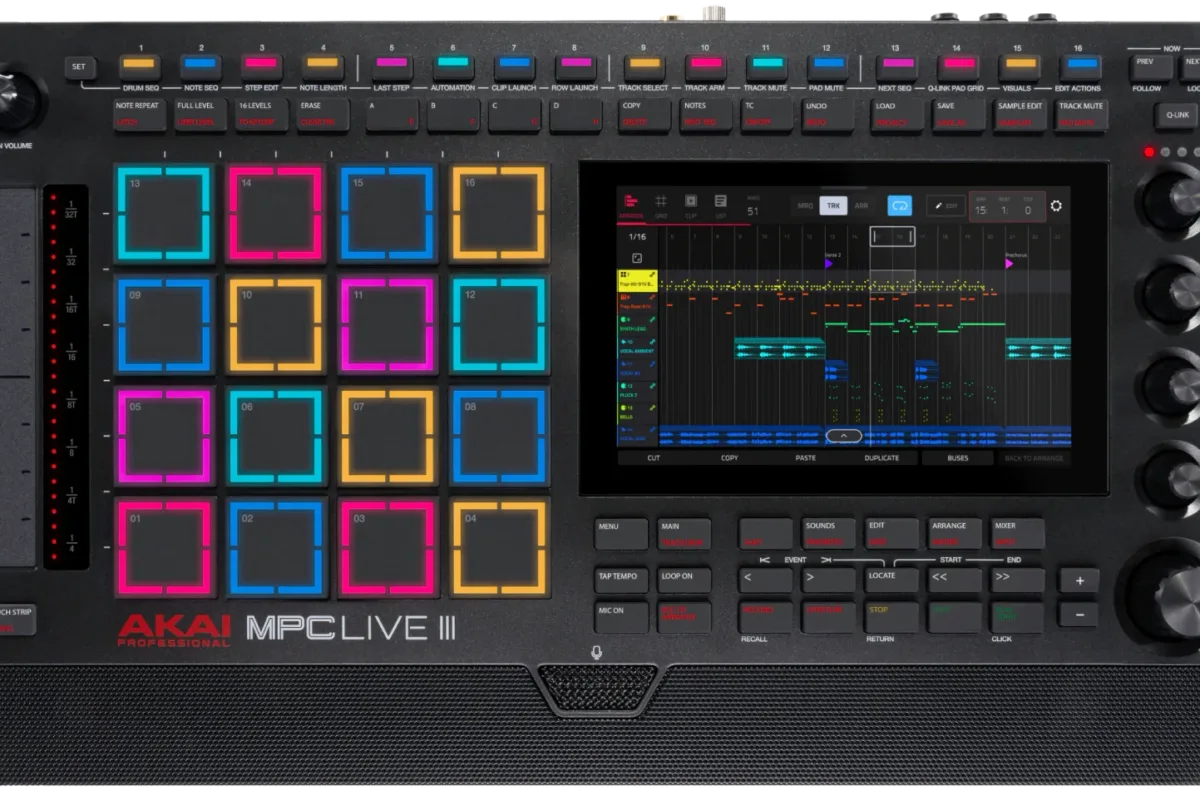
Akai Professional has released version 3.10 of its MPC software, for both its standalone machines and the computer. According to Akai’s official release notes, the headline is that MPC 3 Desktop, the software version of the MPC workflow, is out of beta, and it gains the AAX format for Pro Tools along the way. The update is free for MPC and Force hardware owners and installs through the inMusic Software Center.
MPC 3 Desktop leaves beta
MPC 3 Desktop had been in public beta since version 3.5. With 3.10 it becomes a stable release, usable on its own or as a plugin inside a DAW:
- VST3, Audio Unit and AAX formats, the latter on macOS and Windows for Avid Pro Tools (each format is explained in our plugin formats guide);
- a license valid on three computers, with no iLok, according to Akai’s FAQ;
- a new MPC Beats mode, an activation option that opens the MPC 3 workflow to users of the free MPC Beats.
One caveat: an MPC must be updated to 3.10 to be recognized by MPC 3.10 Desktop, and projects made in standalone MPC 3, from 3.4 to 3.10, do not open in the older MPC 2.15 Desktop.
An 8×8 mode for the MPC Live III and MPC XL
The MPCe pads on the MPC Live III and MPC XL sense where a finger lands on their surface, split into quadrants. Version 3.10 uses this to turn the 16-pad grid into 64 playable zones:
- drum tracks: four pad banks playable at the same time;
- melodic tracks: in Pad Perform mode, notes run horizontally across the 8×8 grid, much like a grid controller;
- clip launch: 64 clips reachable from the pads, mirroring the touchscreen’s Matrix view.
Arranging, controllers and Force
| Area | New in 3.10 |
|---|---|
| Arrange Mode | three selection modes: MRQ (free range across one or more tracks), TRK (a single track), ARR (the whole arrangement) |
| Loop | the loop brace can be controlled directly from the hardware in Arrange view |
| MPK keyboards | dedicated integration of the Akai MPK Mini IV and MPK Mini Plus II, standalone and on the computer |
| Force | scale support on 16 Levels, Arp Latch feedback, pad mode configuration shortcuts |
| Workflow | loop editing, plugin browsing, CV port visibility, expansion detection |
Akai also lists fixes for stability, MIDI routing, sync and VST3, AU and Kontakt plugin compatibility, plus fixes for the MPC Studio MKII.
Who it’s for, what it costs, what it competes with
Who it’s for. First, MPC Live III and MPC XL owners, who get the 8×8 mode; then anyone who wants their MPC projects inside a DAW, Pro Tools included; Force users get a smaller share.
What it costs. The 3.10 update is free for compatible standalone MPCs (MPC Key 37 G2, One G2, XL, Live III, Key 37, One+, X Special Edition, Key 61, One, Live II, X, Live) and for Force in standalone mode. MPC 3 Desktop is a paid license whose price is not shown on Akai’s product page: price not disclosed. View at Thomann
What it competes with. Pairing hardware with a plugin version brings the MPC closer to Native Instruments’ Maschine, which has long run inside a DAW. The 8×8 mode answers the 64-pad grid of Ableton’s Push 3, which also works standalone. Among grooveboxes, other machines got updates this month, such as Teenage Engineering’s OP-XY and Roland’s TR-1000; the rest are in our Firmware Updates section.


